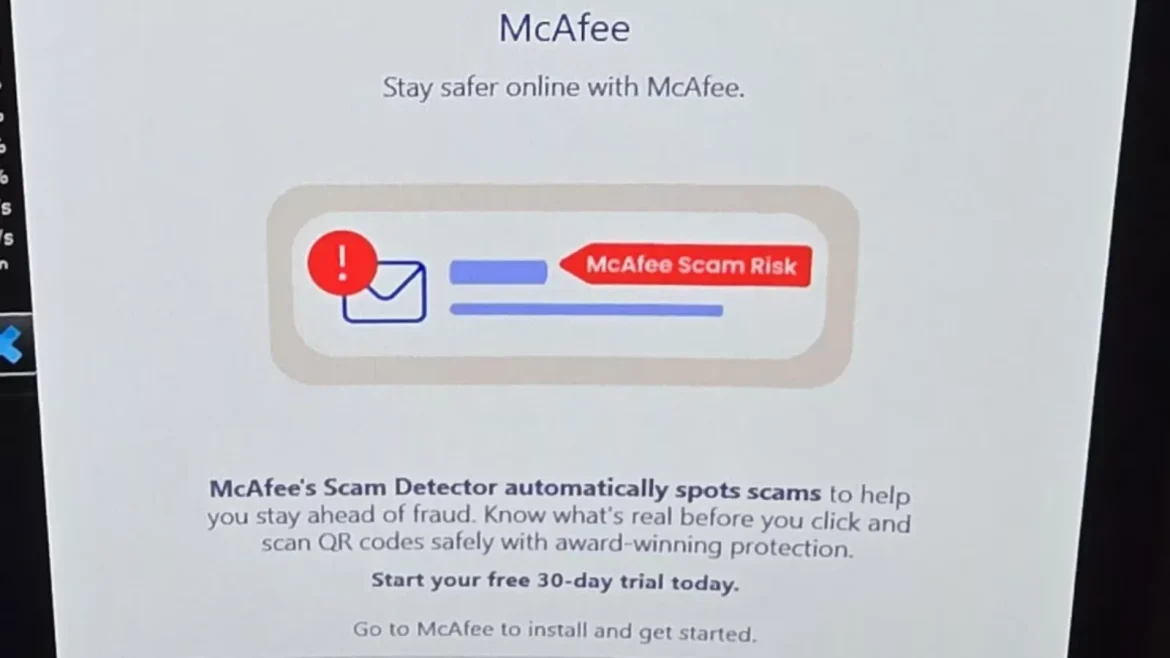
A Windows update reportedly triggered the silent installation of an LG-branded application on user systems, which then displayed an unsolicited McAfee promotional pop-up even on machines where McAfee was never installed.
The issue surfaced after a Reddit user in the r/pcmasterrace community documented the incident, tracing the software back to the Microsoft Store and Windows Update mechanism.
The user, who owns three LG UltraGear monitors (one 27GP83B and two 27GN800 units), discovered that connecting the displays caused Windows to automatically match device metadata to a Microsoft Store listing and download the corresponding application without any notification.
Windows Update Allegedly Installs LG Monitor App
The app, identified in Reliability Monitor logs as “9PM9N6F47JB8-LGElectronics.LGMonitorApp,” was confirmed installed via Event Viewer records showing a “Successful Windows Update” entry.
Checking Task Manager’s startup apps confirmed the LG Monitor App Installer had been added automatically to the PC without user consent.
Shortly after installation, the app displayed a pop-up labeled as McAfee, urging users to start a “free 30-day trial” of McAfee’s Scam Detector feature. This caught users off guard since many had never installed any McAfee product on their systems.
Security researchers and outlets covering the report noted that this is not an isolated case tied solely to LG hardware.
Similar silent-install behavior has reportedly been observed with Alienware and Asus monitor companion apps, suggesting the underlying mechanism Windows’ Device Setup Manager pulling OEM-linked apps via device metadata is a broader systemic issue rather than an LG-specific bug.
Microsoft’s own tech community forums show user complaints about the LG Monitor App dating back to at least November 2024, indicating this behavior has persisted across multiple Windows builds.
Mags_Smash stated that the LG Monitor App Installer cannot be removed through the standard Microsoft Store uninstall path.
The only confirmed workaround for casual users is disabling the app from launching at startup via Settings > Apps > Startup, which stops the pop-up without fully removing the underlying package.
Mitigation
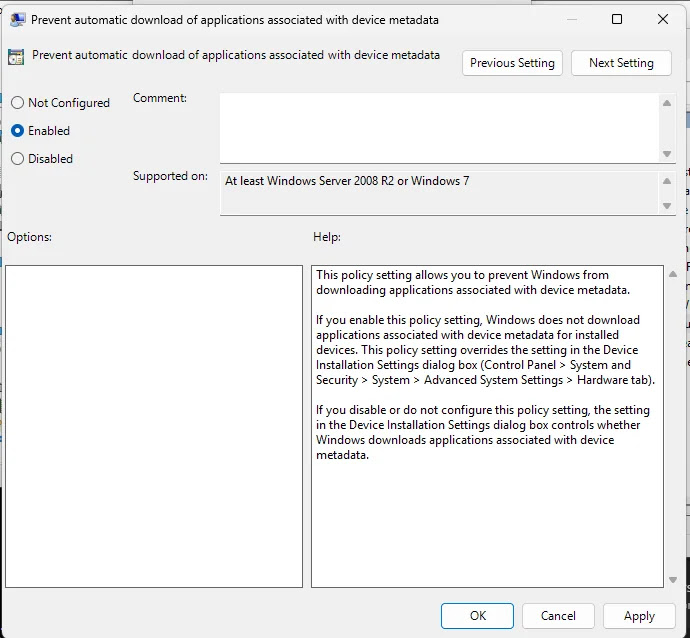
For users seeking a permanent fix, two Group Policy-based solutions have been documented:
- Block metadata-triggered installs: Enable “Prevent automatic download of applications associated with device metadata” under gpedit.msc > Computer Configuration > Administrative Templates > System > Device Installation.
- Disable the Microsoft Store entirely: Navigate to gpedit.msc > Computer Configuration > Administrative Templates > Windows Components > Store, and enable “Turn off the Store application”.
The first option is the more targeted fix, as it specifically stops Windows from pulling manufacturer-linked apps tied to connected hardware, while preserving normal Store functionality.
Windows Home Edition users who lack access to gpedit.msc can instead adjust manufacturer app download settings directly in System Properties under Device Installation Settings.
Microsoft has not issued an official statement addressing the reports as of this writing, and it remains unclear whether the company plans to alter the device-metadata download mechanism responsible for the unsolicited installs.
Follow us on Google News , LinkedIn and X to Get More Instant Updates. Set Cyberpress as a Preferred Source in Google.